 MixVoice
 0.1.0
Speak. Let the text follow.
Hold right Ctrl, speak and release. MixVoice pastes text where you type — in an email, note or message.
Recognition runs on your computer. Your voice never leaves it. Works offline after the model download. Free, with no registration or usage limits.
ZIP size: 11 405 123 bytes ·
SHA-256 · MixVoice-0.1.0-win-x64.zip36995010782b1dae080596fab4de2fe8836a2e61b2cb89b323e3440012a2a50c
Check text before sending. Each recording is limited to 120 seconds; the number of recordings is unlimited.
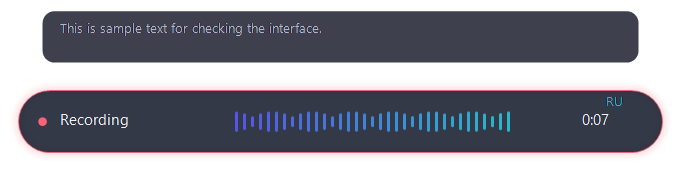
Check the text before sending.
A silent example. This website never uses your microphone.
Start in three steps
Extract the ZIP
Keep every file in one folder and run MixVoice.exe. No installation required.
Complete setup
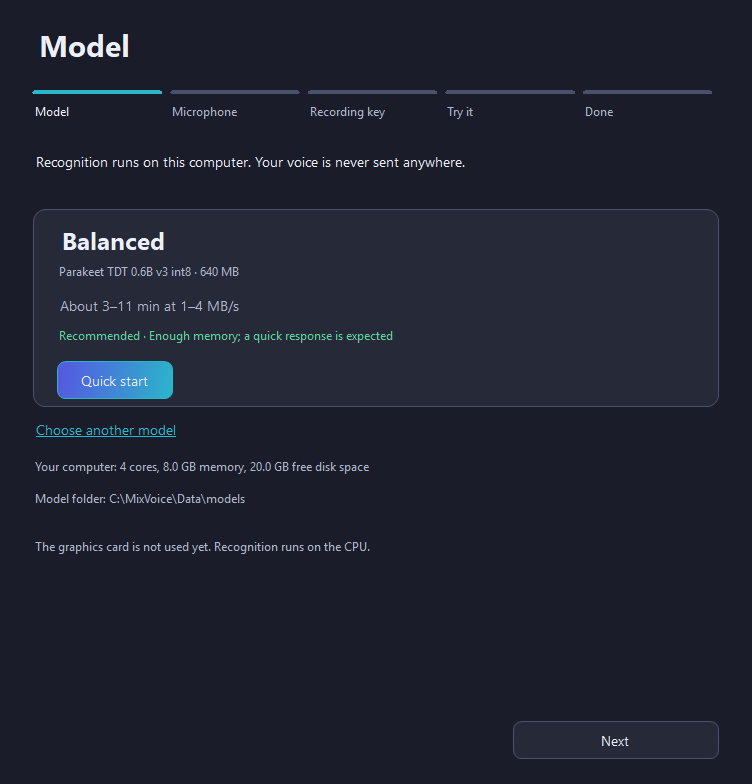
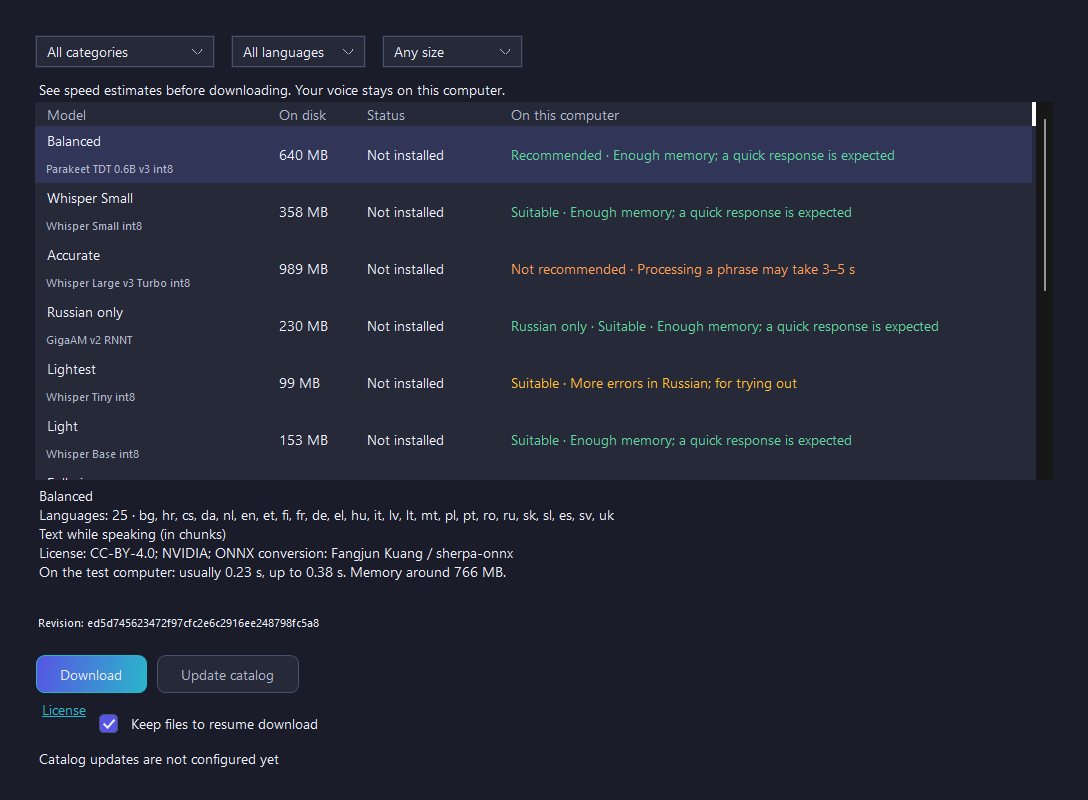
The wizard helps choose a model, microphone and key. Download a model once or use one already installed.
Dictate
Place the cursor in a text field. Hold right Ctrl, speak and release. Esc cancels recording.
Download once. Then go offline.
The ZIP has no model weights. Your first model download needs internet. Parakeet v3 is a good start; Whisper Base is smaller but makes more mistakes in Russian. Whisper Turbo is another multilingual option. Installed models are preserved.
| Parakeet v3 | 670 576 784 bytes (670.6 MB) |
|---|---|
| Whisper Base | 160 609 290 bytes (160.6 MB) |
| Whisper Turbo | 1 036 613 791 bytes (1036.6 MB) |
Sizes are exact, in decimal MB. The wizard checks free memory and disk space before download. The largest model is not always the best choice.
Within easy reach
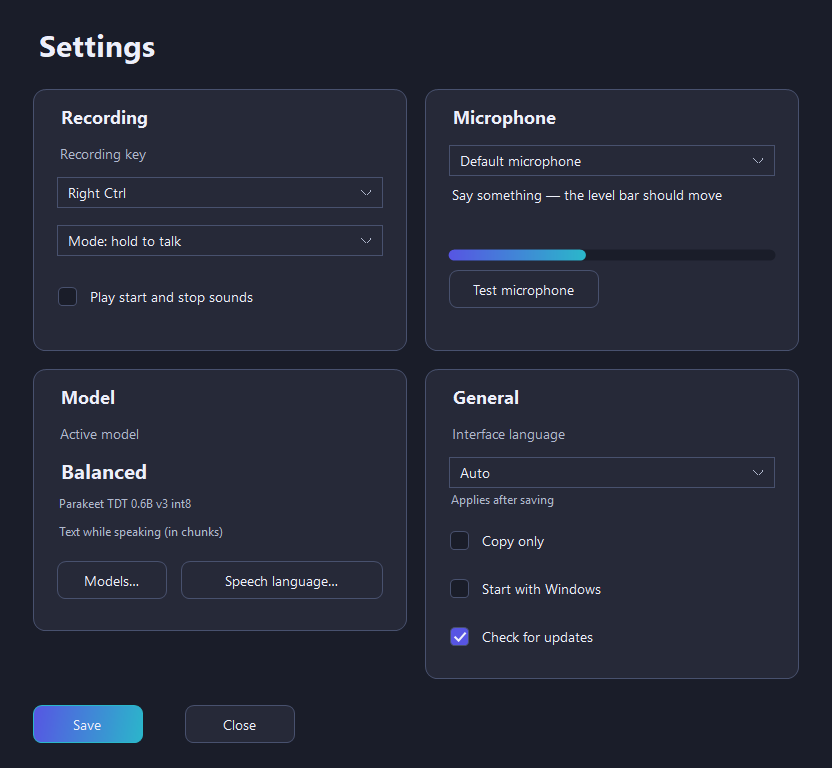
Double-click the icon near the clock for Settings. F1 opens Help. Run setup again from the icon menu whenever you need it.
Before you start
- Windows 10 version 1903 or newer / Windows 11, x64 and .NET Framework 4.8. Recognition runs on the CPU; no GPU is required.
- A practical starting point: 4 GB RAM for light models, 8 GB for Parakeet. Larger models need more free memory. Speed depends on model and CPU.
- Allow space for both application and model: leave at least 1.5 GB free for downloading and installing Parakeet. Larger models need more; the wizard checks disk space.
- The application does not yet have a Windows publisher signature. Windows may show Unknown publisher. If you trust the file, check SHA-256; in SmartScreen choose More info, then Run anyway. Update signatures are a separate authenticity check.
- Automatic insertion is disabled in protected fields and administrator windows. If focus changes, copy text from the capsule and paste it yourself.
Try MixVoice
ZIP for Windows x64. Keep all files beside the EXE. Download models separately, only on your action.
ZIP size: 11 405 123 bytes ·
SHA-256 · MixVoice-0.1.0-win-x64.zip36995010782b1dae080596fab4de2fe8836a2e61b2cb89b323e3440012a2a50c
Questions and answers
Do I need internet?
Only for the first model download and optional updates. Recognition itself works offline.
Where is my voice sent?
Nowhere. Audio and text are processed in your computer’s memory, with no dictation history.
Is it free?
Yes. No registration or limit on the number of recordings. Each recording lasts up to 120 seconds.
Which languages can I dictate?
It depends on the model. Parakeet v3 and Whisper are multilingual; GigaAM is Russian, Zipformer is English. Speech language is independent of interface language.
Can I keep models I already downloaded?
Yes. Installed Parakeet v3 and Whisper Turbo work without downloading again.
Why is there no text in my window?
Check the cursor and Copy only mode. After a focus change, in protected fields or administrator windows, copy from the capsule and paste manually.
How do I open Help?
Choose Help in the icon menu or press F1 in application windows. It also works offline.