 MixShot
Fast Windows screenshots, nothing extra
Select an area, draw notes, copy or save. One tiny file: no installation, no sign-up, no cloud.
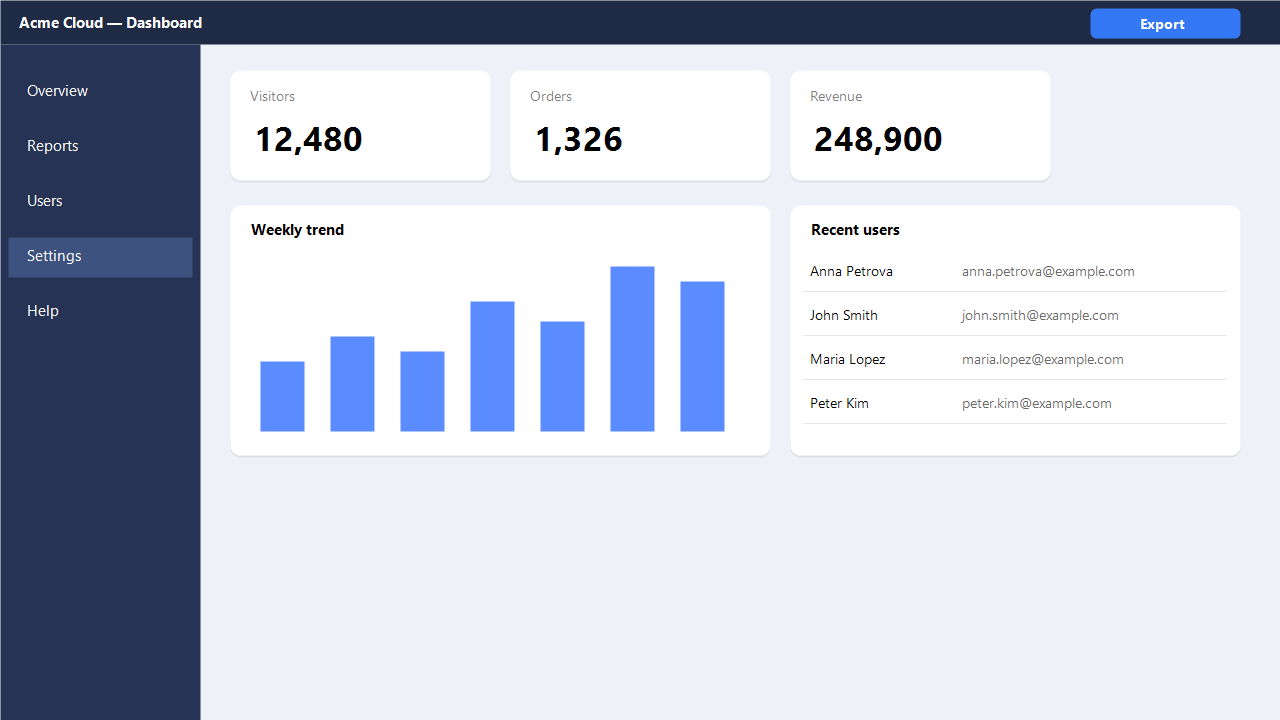
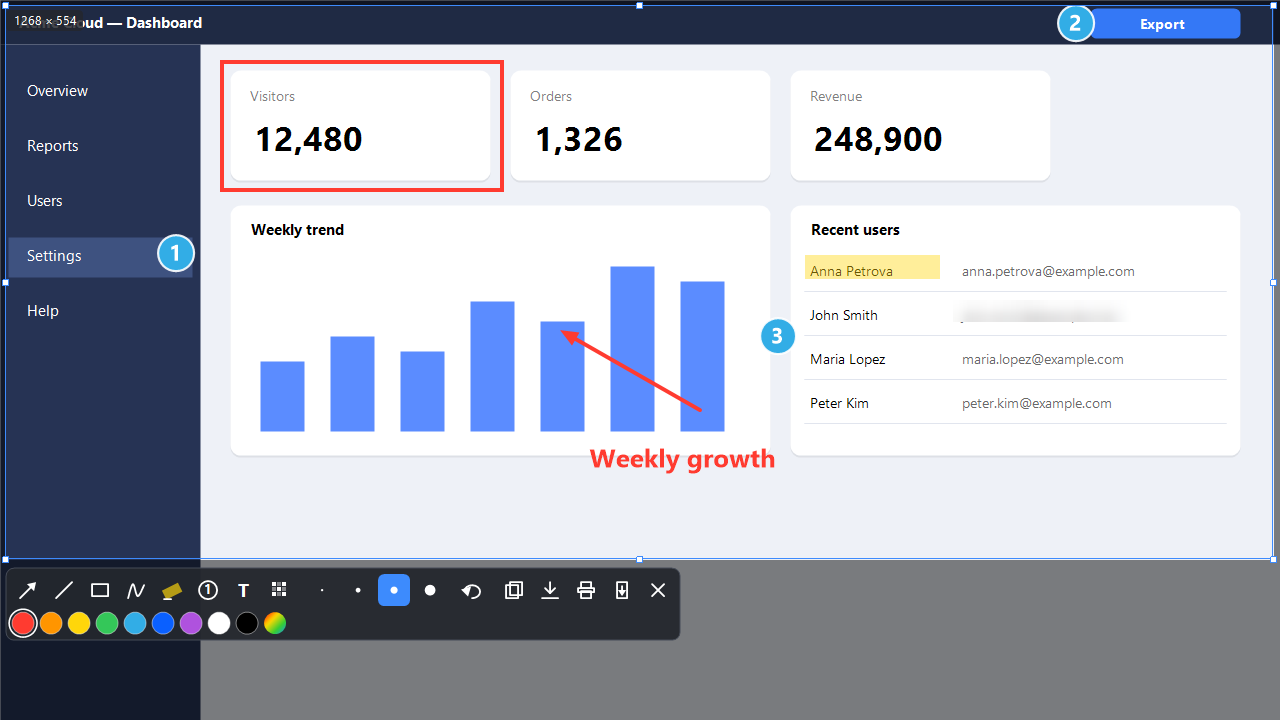
This is a working editor, not a picture. Drag a frame and draw something. The real MixShot does the same over any window on your screen.
Take a screenshot in three steps
Press PrintScreen
The screen dims and MixShot waits for your selection.
Select an area and annotate
Arrows, step numbers, text and blur appear on the toolbar under the frame.
Press Ctrl+C or Ctrl+S
The screenshot is on the clipboard or in a PNG file.
A whole web page in one keystroke
Open a site and press Ctrl+Shift+PrintScreen. MixShot scrolls the page to the end by itself and stitches one long image. No browser extension needed.
- Sticky headers and side panels don't repeat at the seams.
- If a pop-up blocks scrolling, MixShot shows a warning.
- Images up to 30,000 pixels tall. Tested in Edge and Chrome.
Eight tools, right on the screen
Nine colors, a custom color and four thicknesses. Familiar keys: Ctrl+Z, Ctrl+Y, Ctrl+C, Ctrl+S, Ctrl+P and Esc.
- ArrowShows where to look. Hold Shift for 45° angles.
- LineUnderlines and separates.
- RectangleFrames a button, a field or a card.
- PencilDraws freehand.
- HighlighterA wide translucent stripe that keeps the text readable.
- Step numberCircles 1, 2, 3. Undo rolls the numbering back by itself.
- TextMulti-line captions, paste with Ctrl+V.
- BlurHides a password or a name. The details can't be restored.
Your screenshots stay on your computer
A screenshot goes only where you send it: to the clipboard, to a file or to the printer. With your permission, MixShot asks mixapp.org for the latest version number; nothing else is sent.
Privacy policy- With your permission, it checks the version number on mixapp.org once a day. You can turn this off in the tray menu.
- No accounts, ads or analytics. You send error reports yourself through your email application.
- Settings and crash reports are stored locally in %APPDATA%\MixShot.
- The PrintScreen key is intercepted, but keystrokes are never recorded.
Who it's for
Support and testers
Bug reports with step numbers, arrows and blurred personal data.
Authors of guides
Numbered steps and captions in seconds.
Designers and developers
A whole web page in one keystroke.
Anyone tired of heavy software
Nothing to install or configure.
What you need
- Windows 10 version 1903 or later, or Windows 11, 64-bit.
- .NET Framework 4.8, already part of these Windows versions.
- No administrator rights.
- The interface is in Russian, English, Ukrainian, Spanish, Brazilian Portuguese, German, French, Turkish, Polish and Kazakh.
What it can't do yet
- Windows only. A macOS version is planned, with no date yet.
- Whole-page images can't be annotated, only copied, saved and printed.
- Endless feeds and animated pages may stitch imprecisely.
- The program isn't digitally signed yet, so Windows may show a warning.
Download MixShot for Windows
Free. There are no ads, accounts or paid features in the program.
Version 1.5.0, November 18, 2026. What's new
VirusTotal check, November 18, 2026: 70 of 71 engines found nothing, warnings: 1 — report
The system keyboard hook for PrintScreen can cause false positives. MixShot does not record keystrokes or send screenshots; update checks require your permission.
- Put the file in any folder and run it. The icon appears near the clock.
- Press PrintScreen and start capturing.
- To start with Windows, right-click the icon and choose “Start with Windows”.
Frequently asked questions
Is MixShot free?
Yes. There are no ads, sign-up, accounts or paid features in the program.
How do I find out about a new version?
Allow update checks at first launch. MixShot asks mixapp.org for the version number once a day; Download opens the website. Turn off Check for updates or choose Check for updates now in the tray menu, even with automatic checks off. Later reminds you at the next daily check; Skip this version waits for another release. Screenshots and other data are not sent.
Where do my screenshots go?
Nowhere. A screenshot stays on the clipboard or in the file you saved yourself. With your permission, only the latest version number is checked on mixapp.org; screenshots are not sent.
Do I need to install anything?
No. It's a single file, MixShot.exe. It needs .NET Framework 4.8, which is already part of Windows 10 version 1903 and later and Windows 11.
Windows says “Unknown publisher”. Is it safe?
This is a SmartScreen warning: the program has no publisher signature yet and the file has no reputation. Click “More info”, then “Run anyway”. The SHA-256 checksum is in the download section.
Why might an antivirus complain?
MixShot uses a system keyboard hook for the PrintScreen key and reads the screen for screenshots. Spyware behaves in a similar way, so false positives are possible. MixShot does not record keystrokes or send screenshots. Its only network request checks for updates with your permission. Add the file to the exceptions, or pick another hotkey in the icon menu.
How do I capture a whole web page?
Open the page in a browser and press Ctrl+Shift+PrintScreen. Don't touch the mouse and keyboard while it scrolls. Esc stops the capture. The maximum height is 30,000 pixels.
How do I hide a password or a name in a screenshot?
Choose the Blur tool and select the area. The image under it is replaced with a strong blur, and the details can't be restored.
How do I make a numbered guide?
Use the Step number tool: each click places a circle 1, 2, 3. When you undo with Ctrl+Z, the numbering rolls back by itself.
PrintScreen opens the Windows Snipping Tool. What should I do?
MixShot isn't running, or another program took the key. Check the icon near the clock and pick another hotkey in its menu if needed.
Does it work with several monitors?
Yes, a capture covers all monitors and respects Windows scaling. If something looks wrong on your setup, tell us your scaling and monitor layout.
Will there be a macOS or Linux version?
A macOS version is planned, with no date yet. There are no plans for Linux.
How do I uninstall it?
Exit from the icon menu near the clock, turn off “Start with Windows”, delete MixShot.exe and, if you like, the %APPDATA%\MixShot folder.
Detailed answers and all hotkeys are in the help. Help